Lesson 8 of 11
Invoicing & Getting Paid
Congratulations — you've closed your first project! When you're ready to send an invoice, here's what you need to know.
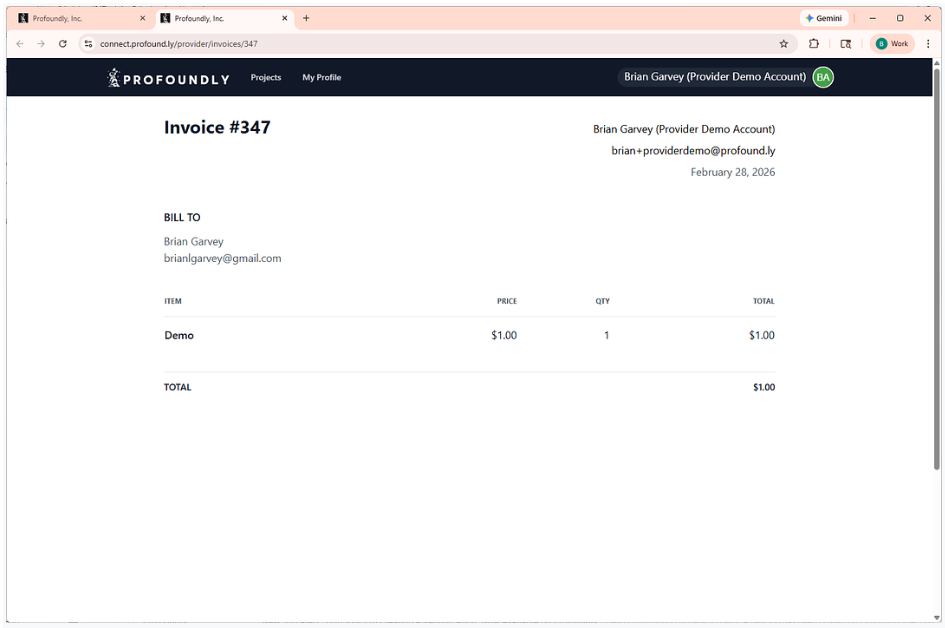
Creating and Sending Invoices
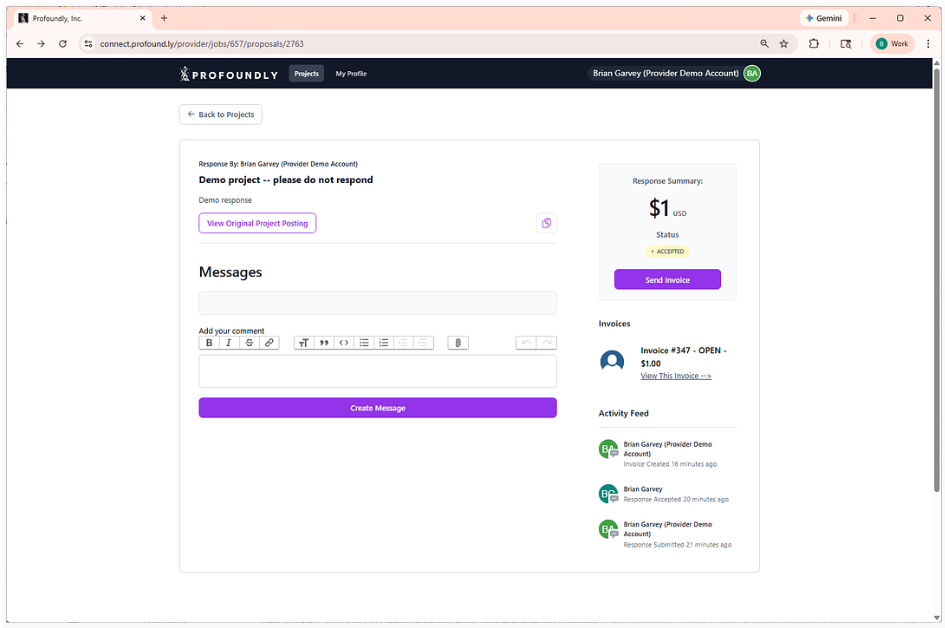
Step 1: Go to your Profoundly dashboard and navigate to the appropriate project
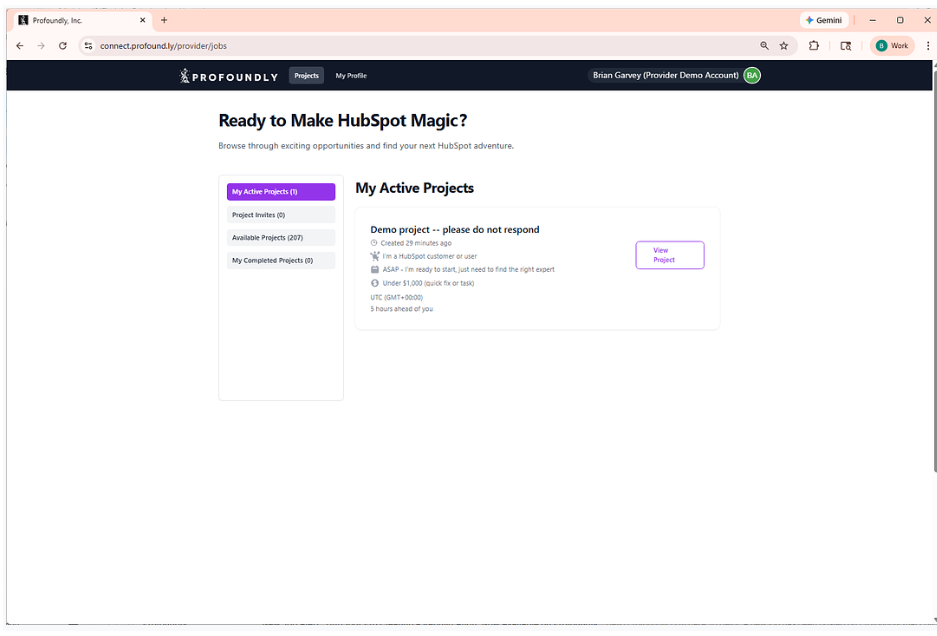
Step 2: Once on the appropriate project, click "Send Invoice"
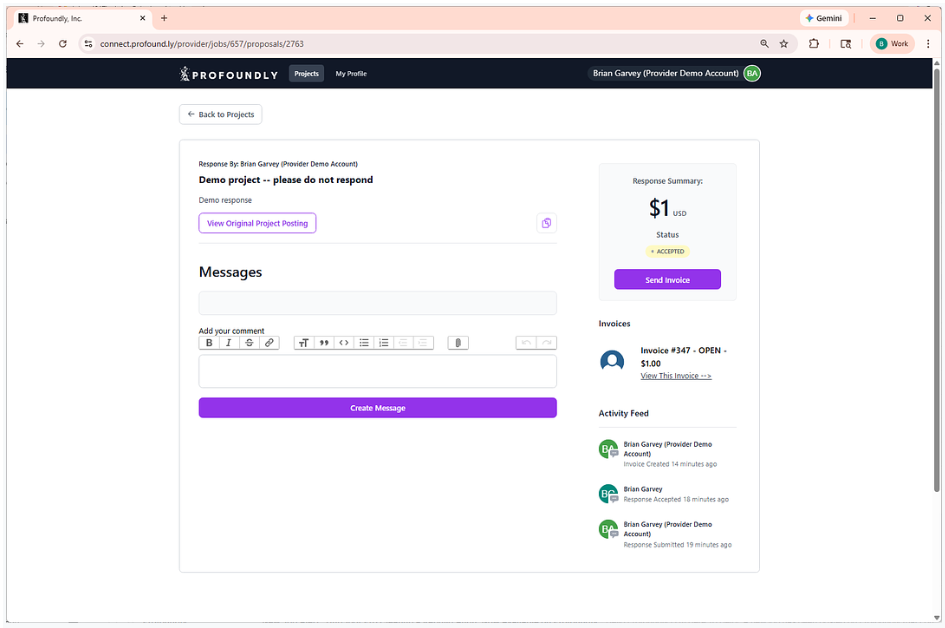
Step 3: Add Invoice Items. Please include clear details about the work completed.
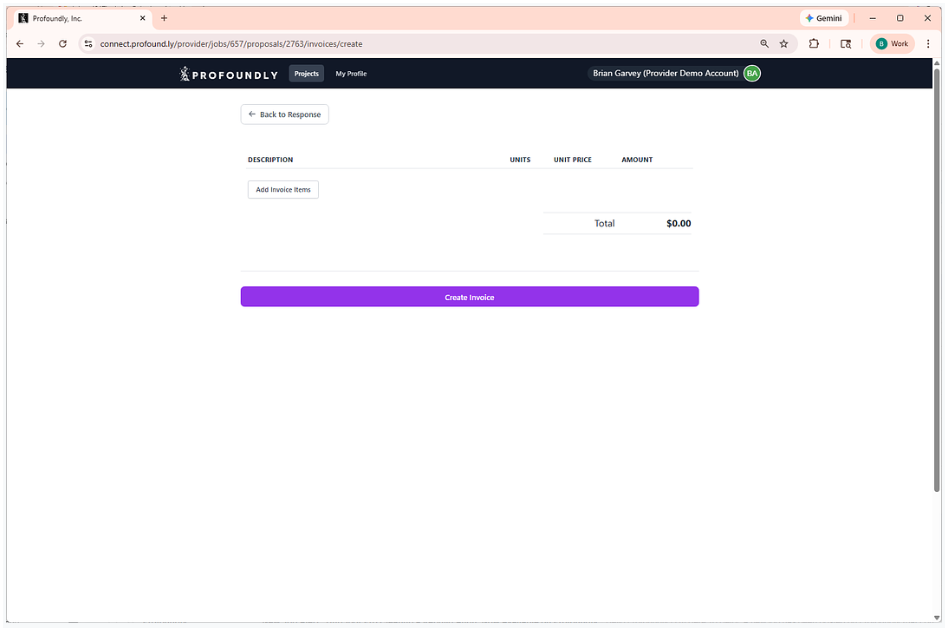
Step 4: Specify the amount
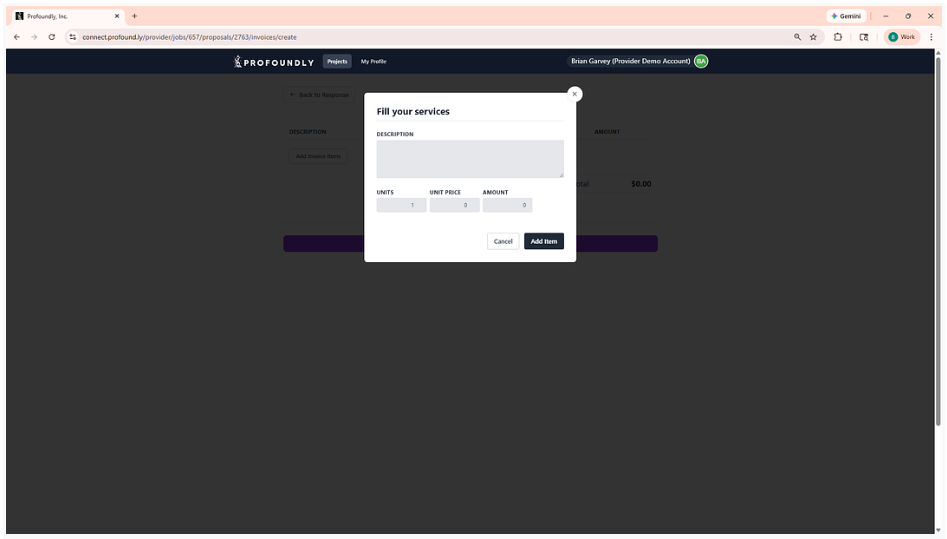
Step 5: Finalize and send the invoice by clicking "Create Invoice" on the final screen. This will send the invoice to the client through the Profoundly platform.
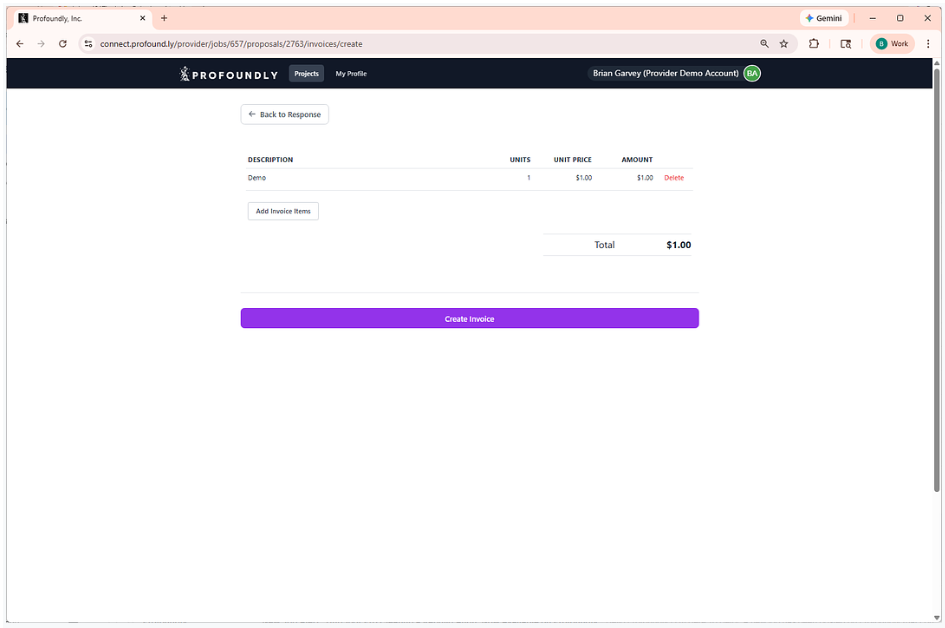
Step 6: Your invoices will be sent directly to the customer
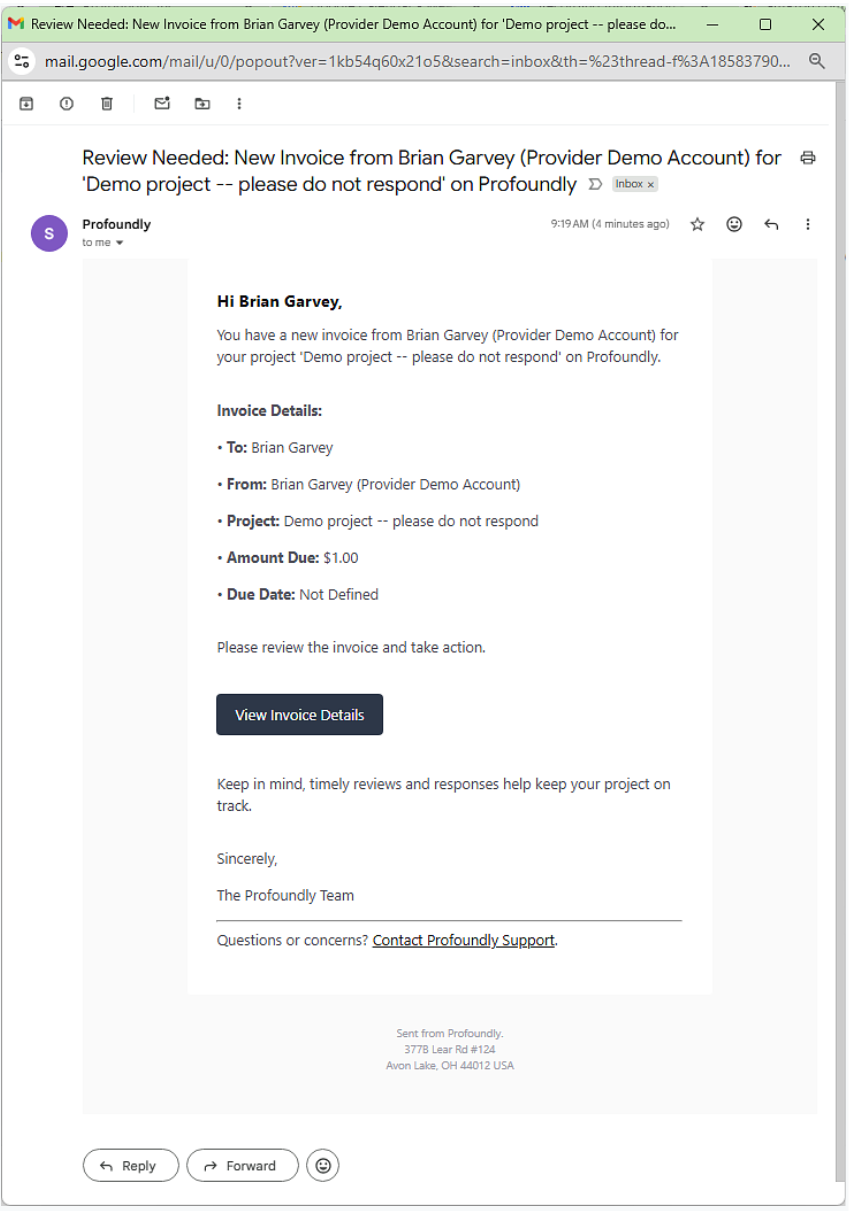
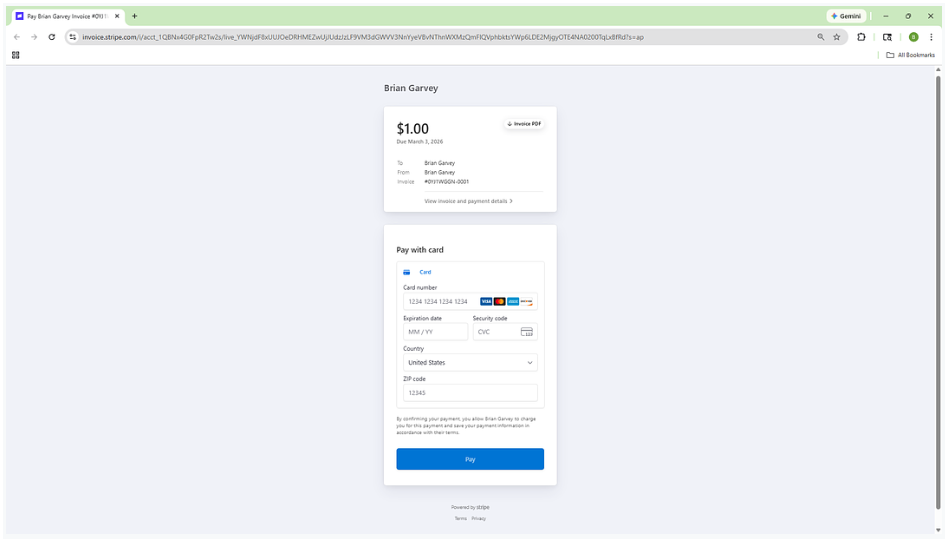
Step 7: View the status of your invoice anytime. Remember, getting paid is your responsibility. We recommend invoicing and following up in a timely manner to avoid delays and problems later.
Default Payment Terms
When you create an invoice through the platform:
- It will automatically default to Net 3 payment terms (due in 3 days)
- This is the standard for most projects on Profoundly
- Creates clarity and moves payments along quickly
Adjusting Payment Terms
Sometimes projects need different payment structures:
You and the client can agree to alternate terms:
- Longer payment windows (Net 15, Net 30)
- Milestone-based payments for larger projects
- Deposit + final payment structures
- Monthly retainers for ongoing work
Just make sure:
- You discuss and agree on terms before sending the invoice
- Everything is clear and in writing
- Both parties understand the payment schedule
Your Responsibility: Following Up
Clients respond best to direct, professional communication from you.
Best practices for follow-up:
- Send invoices in a timely manner. Don't wait weeks after completing work to send an invoice. Strike while the value is fresh in the client's mind.
- Send a friendly reminder on the due date. For example, "Hi [Name], just a quick reminder that the invoice for [project] is due today. Let me know if you have any questions!"
- If payment is late:
- Assume positive intent (they might have just missed it)
- "Hi [Name], wanted to check in on the invoice from [date]. Is there anything you need from me to process payment?"
- If there's a problem:
- Attempt to resolve the matter directly with the client first
- If unresolved, submit a ticket through the app footer for assistance
What's Next
You've completed a project and handled invoicing. But the best Pros on Profoundly don't stop there—they turn single projects into long-term client relationships. In the next lesson, we'll show you how to expand projects before they end and create opportunities for ongoing work.